
The Connection, Inc Blog
The Connection, Inc has been serving the New Jersey area since 1992, providing IT Support such as technical helpdesk support, computer support and consulting to small and medium-sized businesses.

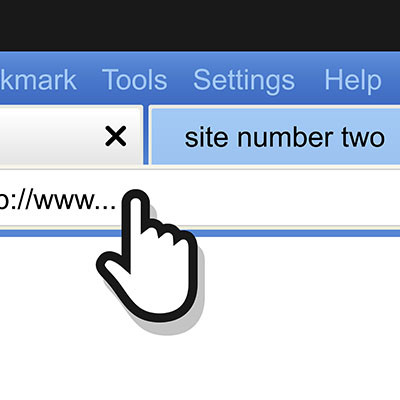
It’s easy to open up far more tabs on your web browser than you need, especially when so many tools are cloud-based. If you find yourself in need of a quick way to close all other tabs besides a handful or so, we’ve got just the tip for you. You can close all open tabs to the right of your preferred window, or you can close all tabs outright.
0 Comments

Did you know that, as of July 2020, 69 percent of global desktop Internet users utilized Google Chrome as their browser of choice? With such a large market share, the security associated with Google Chrome is important to keep in mind. To help increase some of this awareness, we wanted to talk about Chrome’s many extensions and the permissions they are too often granted, with minimal awareness from the user.

Data and cybersecurity is hard enough without vulnerabilities coming from one of your most utilized applications. That’s the scenario after a bug was found in some of today’s most popular Internet browsers putting billions of people’s data security at risk. Let’s take a brief look at the vulnerability and how you can ensure that it won’t be a problem for you or your company.
Google Drive provides its users with a considerable amount of utility. However, when combined with extensions made for Google’s Chrome browser, users have the tools to make their use of Drive’s capabilities even more efficient. For this week’s tip, we’ll go over a few Chrome extensions that your business might find useful.
Drive/Docs Companion
These two extensions, Drive Companion and Docs Companion, take Google’s web applications and turn them into virtual desktop applications. In other words, these web apps are essentially converted into an application like any other on your computer. When you open any of your files from the Drive Companion window, another desktop application window will open up.
Docs Companion, from the same developer, functions very similarly to Drive Companion. The only real difference is that it is specific to Google Docs. Instead of opening a virtual desktop application of your Google Drive, Docs Companion opens directly to the word processing page of Google Docs.
If the applications that Google offers have any weaknesses, they can be irksome to navigate to and from throughout the day. Drive Companion and Docs Companion make that process simpler.
Click here to download Drive Companion.
Click here to download Docs Companion.
Office Editing for Docs, Sheets, and Slides
While Google offers considerable utility in their applications Google Docs, Google Sheets, and Google Slides, there are a few weaknesses to these applications that may make it a better choice to utilize Microsoft’s corresponding applications, Word, Excel, and PowerPoint, to initially create your content. Frankly, there are a few utilities that Microsoft’s applications are better at, a very important example being spell-checking capabilities.
However, with Office Editing for Docs, Sheets, and Slides, you and your team can leverage the improved utilities that Microsoft supplies, along with the easily-used collaborative abilities that Google’s applications offer. With this extension in place, you can drag a Word, Excel, or PowerPoint file from your computer’s drive into a Chrome window, and the right Google app will load it.
This extension can also automatically access Microsoft Office files sent using Gmail, shared as a web link, or that have been saved in your Google Drive.
Click here to download Office Editing for Docs, Sheets, and Slides.
Quick Drive
This extension frees you of the need to navigate through your entire Google Drive to pull up a file. While this may seem a little silly, there are two things you need to consider:
First, do you really want to show your hand during a client meeting as you pull up relevant documentation?
Secondly, as the saying goes: time is money.
Quick Drive enables you to search your Google Drive for the proper documents through a panel that appears when you click the application’s icon in the Chrome Toolbar. Just start typing the name of the appropriate document, or applicable keywords, and matching documents in your Drive will start to appear.
You can also use the Favorite and Recent tabs to find documents that have been starred or opened recently as another quick way to access a pertinent document on the fly.
Click here to download Quick Drive.
DriveCast
Presenting your work can be a pain, especially when you have to hook up your laptop to a display or projector. If you have a Google Chromecast in the office, this Chrome extension can make this process much easier. DriveCast, appropriately enough, can cast content in supported formats directly from your Google Drive to a Chromecast device.
After installing DriveCast and linking your computer to the Chromecast you need to use, the DriveCast icon in your Chrome toolbar will open a new tab that lists your Google Drive folders alphabetically. Once you’ve navigated to the content you want to cast, click on the file and select ‘DriveCast’ in the window that will appear below the page’s address box.
Click here to download DriveCast.
We hope that you’ll find some (or all) of these applications useful in your business operations. Are there any other Chrome extensions that you use on a regular basis? Share them with us in the comments section!
Google has contributed many useful applications and utilities to the average computer user, but one of the biggest standalone contributions that Alphabet, Inc. has made is Gmail, its email program. While this communications tool is comprehensive on its own, it only becomes more useful when paired with the right extensions. Today, we’ll review some of the ones that can best help you boost and sustain high levels of productivity.
Google Chrome is much more than just any old web browser; it’s the most popular web browser in the world, being installed automatically on Android smartphones and the browser of choice for countless desktop users. Today, we want to help you get the most out of your Google Chrome web browser.

Does it feel like your web browser is running slower than it should? Or is your browser prone to freezing up and crashing? If so, there’s one easy troubleshooting tip that you’ll want to try: clearing the cache.
 It’s been quite some time since Microsoft cut the cord on Windows XP support, rendering it insecure and incredibly risky to run in a professional setting. This was quite a blow to both PC users and business professionals, but it’s about to get even worse for the antiquated operating system. Now, even Google is cutting support for their web browser, Google Chrome, for older operating systems from both Microsoft and Apple.
 Google is the world’s most popular search engine, and it’s grown so outrageously popular that there’s even a verb named after it; “to google” is to search for something on the Internet using Google. However, to this day, Google continues to surprise the public with fun Easter eggs, hidden functions which provide a level of entertainment to the user.
News & Updates
The Connection, Inc. Celebrates 32 Years as a Trusted Technology Provider! Since our founding in 1992, technology and the way we operate and do business has changed a lot. Companies that have adapted and aligned themselves with ...
Understanding IT
Get the Knowledge You Need to Make IT Decisions
Technology is constantly evolving, and keeping up can feel overwhelming. Whether you want to understand cybersecurity threats, explore automation, or learn how regulations like PCI DSS impact your business, we’ve made it easy to access clear, straightforward insights on key IT topics.
Contact Us
Learn more about what The Connection can do for your business.
The Connection
51 Village CT
Hazlet, New Jersey 07730