
The Connection, Inc Blog
The Connection, Inc has been serving the New Jersey area since 1992, providing IT Support such as technical helpdesk support, computer support and consulting to small and medium-sized businesses.

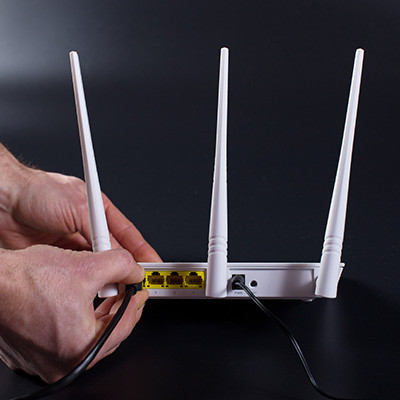
Setting up a router used to be a much more complex process than it is today. Thankfully, innovations in the technology have made it simpler and easier for consumers and businesses alike to do, to the point where some Internet service providers just let users do it themselves with guided instructions. Let’s go over how you can get the most out of your wireless router.
0 Comments

What do you do if you have forgotten your wireless router’s password? You could restore the router back to its default settings, of course, but what if you have, like a dummy, never changed the router’s password in the first place? This Internet password repository could be your saving grace.
The Internet is a valuable tool that can be accessed through a wired connection and wirelessly via Wi-Fi, but the devices that offer these connections can be somewhat complicated and difficult to understand. If you don’t know which device does what, you’re in for a treat--today’s tech term will examine the differences between the modem and the router.
Before we get started, let’s get one thing out of the way; a router and a modem are two completely different things that are working toward the same end goal. The modem and router work in concert to make up what you know as a wireless network.
What Does the Modem Do?
A modem is the device that connects your local network to your Internet service provider. This also means that it’s the gateway to your Internet connection. It allows for constant connection to the Internet without any type of filtering.
What Does the Router Do?
The router is the device that bridges the gap between devices on your network and the Internet. This can be done either through a wired or a wireless network. Routers often feature security measures that can keep external threats from entering your infrastructure as well, but this is mostly on a fundamental level rather than a comprehensive one.
Sometimes you don’t even need a router to access the Internet, and you can instead rely on a wired connection directly to the modem. Ultimately, whether or not you need a router comes down to whether or not you have multiple mobile devices accessing the Internet.
Combination Modems and Routers
There’s usually an option to consolidate modems and routers into the same device. However, using a combination device like this can limit how much you can do with your network. You don’t have as much control and flexibility with your networking components as you may if you have a stand-alone modem and router.
Is your business in need of networking management? The Connection can help you work with your ISP to get the best equipment for your wireless network’s access. To learn more, reach out to us at (732) 291-5938.
Wi-Fi has been one of the single most useful innovations for the modern office. Connecting to your Internet without having to be physically connected to it via an ethernet wire has been an incredibly freeing process--one that opens up all sorts of possibilities of where (and how) you can get work done. How can you make sure that your Wi-Fi signals are as clear and reliable as possible?
The unfortunate part of Wi-Fi is that it’s so commonplace, people expect it to always be available, 100 percent of the time. Even the slightest interruption is enough to throw some folks into a frenzy. Perhaps you’ve experienced something like this yourself when your Internet at home is down in the middle of your favorite television show. In the workplace, a loss of Wi-Fi can contribute to far bigger problems than catching up on your soaps. Instead, it can mean a loss of productivity--a form of downtime that can cost your organization significantly.
There are countless benefits to keeping your Wi-Fi network both accessible and fast for your employees. In fact, 42 percent of employees have found that it’s a major contributing factor toward greater productivity in the workplace. This reason alone is enough to consider just how fast and reliable your own Wi-Fi connection is, as well as taking steps toward making it even better than before. Here are some ways that your organization can improve the quality of your Wi-Fi connection.
- Test your speed: Before you can improve your speed, it’s crucial that you test it to see if it really needs improving. To do this, you can work with your ISP or run one of the assorted speed tests that you can find on the Internet.
- Find the peaks and valleys: Once you know the Wi-Fi speed that you can expect, you can use this information to find out where your organization’s connection is strongest and weakest. A heatmapping application on your smartphone makes this process easier as well.
- Reconfiguring your router: Your router could also be the cause of your wireless troubles. You can access your router’s dashboard through your computer’s web browser, allowing you to reconfigure it as needed. Of course, before you make any crazy changes to it, you should first discuss the changes with your IT provider.
- Replacing your router: If your router is simply too old to be effective for your business’ needs, you can replace it. Remember that your technology should evolve and adapt as your organization does. If your router is older, it doesn’t necessarily have the most up-to-date wireless standards in place.
- Check for firmware updates: If your router has outdated firmware installed, then it has plenty of untapped potential that you might not immediately notice. To access this potential, visit the manufacturer’s website and download the latest firmware. Again, it’s critical that you consult IT before doing this.
- Move your router: Use your heatmapping tool to find the best place for your router. Doing so can help you improve signal strength throughout your space.
To learn more about how your business can improve Wi-Fi strength and signal, reach out to us at (732) 291-5938.

Did you know that prior to this past January, the last big update to Wi-Fi occurred in 2004, when WPA2 was released? The Wi-Fi alliance has introduced a new type of wireless connection called WPA3--one that can dramatically improve security. In reality, it was created with the intention of shoring up weaknesses found as a result of the KRACK vulnerability, which exposed serious issues with WPA2 that needed to be addressed.
News & Updates
The Connection, Inc. Celebrates 32 Years as a Trusted Technology Provider! Since our founding in 1992, technology and the way we operate and do business has changed a lot. Companies that have adapted and aligned themselves with ...
Understanding IT
Get the Knowledge You Need to Make IT Decisions
Technology is constantly evolving, and keeping up can feel overwhelming. Whether you want to understand cybersecurity threats, explore automation, or learn how regulations like PCI DSS impact your business, we’ve made it easy to access clear, straightforward insights on key IT topics.
Contact Us
Learn more about what The Connection can do for your business.
The Connection
51 Village CT
Hazlet, New Jersey 07730