
The Connection, Inc Blog
The Connection, Inc has been serving the New Jersey area since 1992, providing IT Support such as technical helpdesk support, computer support and consulting to small and medium-sized businesses.

Smartphone applications are in high demand from both a consumer and a business perspective, so it stands to reason that these ecosystems are large in scope, encompassing millions of apps on both the Google Play and Apple App stores. Have you ever wondered how these companies ensure that the apps found on their stores are secure and legitimate?
0 Comments
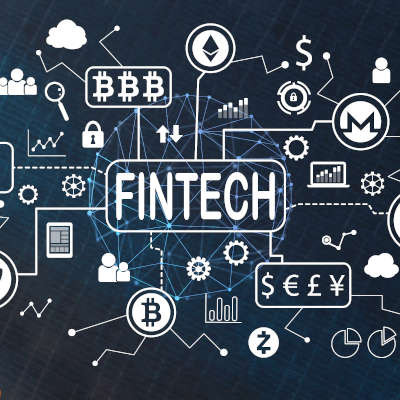
Technology improves a lot of things, especially when it is used to make something that is usually time-consuming and difficult less so. One aspect of life that is changing rapidly is the financial services sector. Finance, banking, insurance, and other industries that would be tabbed as financial services have embraced mobile technology for its ease of use and efficiency. The development of computer applications that make it easier to invest, diviest, and manage financial services and money are becoming prevalent throughout society. Let’s take a look at FinTech.

If your employees are given an Android device to use for work, or if they bring in their own as a part of BYOD, you may want to pay special attention to what follows.

Today’s fast-paced work environment demands multitasking and juggling various projects at once. Thankfully, there’s a lot of great technologies designed to make workloads more manageable. If you’ve not yet looked into utilizing automation apps for your business, you may be surprised to learn how they can improve efficiency.
Many websites and services now have apps that they use to further distribute their solutions via smartphone. However, when it comes to your business’s sensitive information, which is more secure: the mobile app, or the web-based client? Researchers from Northeastern University performed a study that asked this question, and the results might shock you.

How many people do you know that can be productive for 8 hours, or more, a day? It’s difficult for the average worker to do this, as their body needs time to relax and recover from the duress of the workday. Thankfully, new technologies provide some semblance of reprieve for office workers in the form of improving the way that they delegate and spend their breaks.

Are you a person that has traditionally written down things in notebooks? If you are, you probably have dozens of notebooks that are half filled with information, most of which you’ll look at sometime in the future and you’ll be reminded just how helpful that note would have been if you had it when you needed it. Today, digital notebooks offer the same helpfulness, with a few added features that make them (dare we say it) a little better than the traditional notepad.
Here, we’ll go over a few tips to using digital notebooks so that you can improve the quality of the notes you keep.
Selecting Your Tools
Your first concern, when you set out to take your notes, is having something to take these notes on, and with. For many, this has typically been a sheet of paper and a pen, but what kind of technology blog would this be if we stopped there?
Naturally, technology offers us other options, offering wider functionality. Laptops, tablets, and smartphones now allow us to take notes in different ways. Instead of chicken-scratched scrawls of shorthand, notes can be typed and recorded much more efficiently and neatly on these devices, depending on the preference of the user. Plus, many of these devices feature a variety of note-taking options that your pen just doesn’t, like linking to relevant online content or other notes, access to cloud storage, and the ever-critical spellcheck.
Furthermore, when using these devices, you have a selection of apps to choose from. Microsoft’s OneNote and Evernote are two prominent examples of such, each with their own advantages and capabilities, plus many lesser-known ones to leverage as well.
Explore Format Options
Of course, with many of these applications, your options don’t stop there. Just as with a free-form scratchpad, the right tools can allow your notes to take on a different voice than just row after row of bullet points.
For instance, you could incorporate graphs, images, and other visual elements into your notes to add confidence and context to them. This enables you to better associate meaning to your words; and, as a result, make your notes more meaningful.
Keeping Your Notes Organized
The other benefit of using a digital note-taking tool is the fact that organization becomes that much simpler to maintain. Most solutions out there today enable their users to adjust their notes to keep them concise, cohesive, and comprehensible. Making your notes searchable, organizing them by date or topic, and other qualifications can all help keep you on track.
The Connection can assist you in implementing business tools to help with all of your organization’s particular needs. Learn more by reaching out to us at (732) 291-5938.
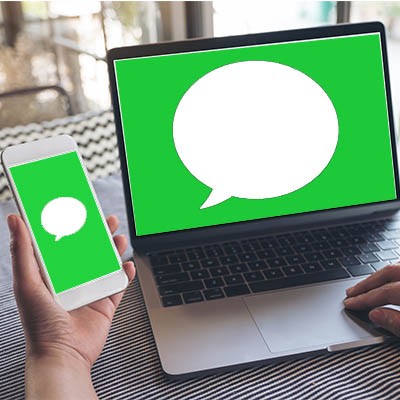
If you use an iPhone, iPad, or any other Apple device, you’ve probably used iMessage. iMessage is the popular built-in messaging app. It’s Apple’s version of the text message, but it’s packed with great features that iPhone users have grown very fond of. We looked around online for ways to access your iMessage in Windows, but only found workarounds that compromise your security.
We’re going to discuss these workarounds, but we highly recommend you do NOT attempt them. These are two of the most common procedures people have come up with to try to get iMessage to work on a Windows 10 PC, but both put you at a security risk.
 We’ve all run into the trouble of keeping our smartphone’s battery preserved for as long as possible. Many people think that the apps themselves are what bogs down the battery and drains its charge, but we’re here to tell you that this is not the case. Instead, let’s determine what really drains your device’s battery.
 As a business owner, you might have the sudden and inexplicable urge to creep on (track) your competitors to get a feel for their prices and services. With these six apps, you can make this job a little bit easier by seeing what others have to say about your competitors, including what they are saying about you.
News & Updates
The Connection, Inc. Celebrates 32 Years as a Trusted Technology Provider! Since our founding in 1992, technology and the way we operate and do business has changed a lot. Companies that have adapted and aligned themselves with ...
Understanding IT
Get the Knowledge You Need to Make IT Decisions
Technology is constantly evolving, and keeping up can feel overwhelming. Whether you want to understand cybersecurity threats, explore automation, or learn how regulations like PCI DSS impact your business, we’ve made it easy to access clear, straightforward insights on key IT topics.
Contact Us
Learn more about what The Connection can do for your business.
The Connection
51 Village CT
Hazlet, New Jersey 07730